Skip to content
Website maintenance & ongoing support

A website isn’t finished when it launches.

The business keeps moving. New services, new territory, new people, new questions from customers. A site that stops keeping up starts describing a company that no longer exists.

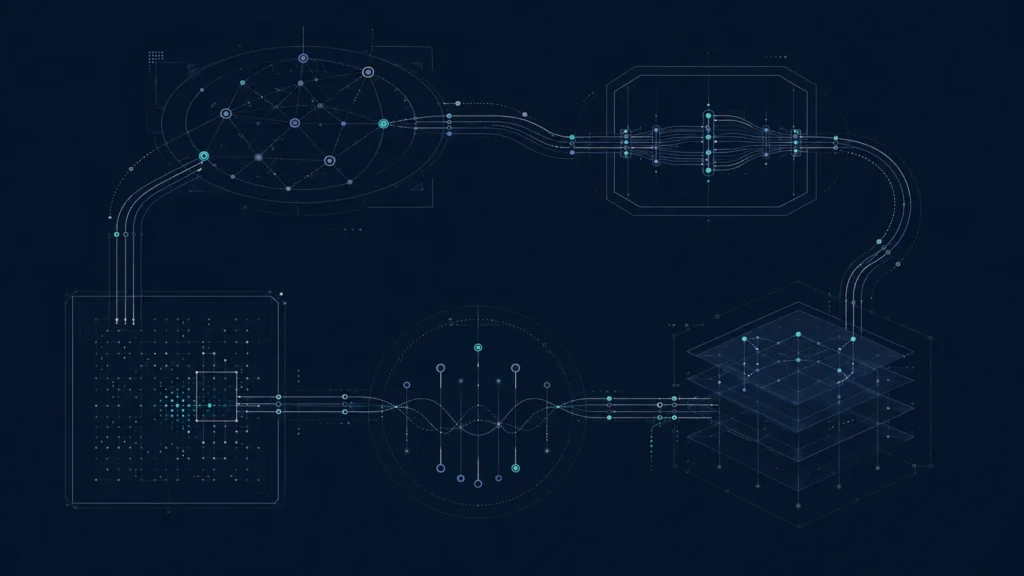
Abstract network diagram of a website being monitored and maintained over time.
Protect · Maintain · Improve

Three jobs, running continuously.

Protect — keep the site up, secure, backed up and recoverable, and keep the visibility it has already earned intact.

Maintain — keep it accurate as the business changes, and keep changes safe to make.

Improve — extend it where there is evidence that something deserves more room, rather than on a content schedule.

Diagram: website health as a system — protect, maintain and improve.
A common misunderstanding

Maintenance is not plugin updates.

Updates matter, and they are the least interesting part. Running the updates and nothing else is how a site stays technically current while slowly becoming wrong about the business.

The work that matters is what happens when the company changes — because changes that look small from the office are rarely small on the site.

What a small change actually touches

“Can you just add a service?”

Adding one service to a site that is structured properly is not a matter of adding one page. Here is what a single addition genuinely affects.

Navigation

Where it belongs, and what it pushes out of view.

Site architecture

Which existing pages it overlaps with or competes against.

Internal linking

What should point at it, and what it should point at.

Service & location pages

Whether it changes what the existing ones should say.

Structured data

What the page declares about itself, matching what is visible.

Search visibility

Whether it strengthens an existing page or splits it.

AI understanding

Whether the business is now described more clearly, or less.

Conversion paths

How somebody reading it actually gets to contacting you.

Diagram: how a change request moves from request through review to a safe deployment.
How a change is handled

Requested, reviewed, tested, deployed.

A change request is a decision, not a ticket. What is it for, what does it touch, and is there a way to do it that doesn’t put anything already working at risk?

Work happens away from the live site where it should. Backups exist before the change, not after. And the result is verified rather than assumed.

Monitoring

Knowing before the customer tells you.

Uptime, security, backups that have actually been restore-tested, broken links, form delivery, and the technical signals that quietly decay — a page falling out of the index, a redirect chain forming, a sitemap drifting from reality.

Most of these are invisible until somebody phones to say the contact form isn’t working. The point of monitoring is to find them first.


Diagram: ongoing monitoring across the pages and systems that make up a website.
Diagram: protecting what already works while allowing controlled growth.
Protect and improve

Growth that doesn’t cost you what you already have.

The instinct with a maintained site is to keep adding. The discipline is to keep asking whether the addition earns its place, and whether it weakens anything that is already working.

Sometimes the right recommendation for a month is to change nothing and let a recent change settle enough to be judged.

The operating rhythm

What a month actually looks like.

Routine protection running continuously. A regular look at what changed — on the site, in the business, and in how the site is being found. Then a short, honest account of what was done, what it was for, and what is worth doing next.

No filler reporting. If a month’s honest answer is “we kept it healthy and changed very little,” that is what it says.

Diagram: the monthly operating rhythm of website maintenance.
Reporting

What reporting will show here.

These panels are reserved for real reporting material: what changed in a given period, what was monitored, what was found and fixed, and how the site’s technical health moved.

They are empty on purpose. We don’t publish sample dashboards or illustrative numbers — a made-up chart is worse than no chart, because it sets an expectation nobody agreed to.

Empty four-panel reporting frames, awaiting approved reporting evidence.

Presentation frame. Approved reporting evidence will be placed here.

Where this fits

Maintenance assumes the foundation is sound.

If the platform can’t safely support change, ongoing support turns into ongoing firefighting. Website Foundation answers that question first; a rebuild is what happens when the answer is no.

Start with the business

Tell us what keeps changing.

The businesses that get the most from ongoing support are usually the ones whose services, territory or team are still moving. Tell us what’s changing and we’ll tell you what the site needs to keep up.